

Hardware wallet setup guide
 Chris
18 October 2025 6:42 PM
.
11 min read
Chris
18 October 2025 6:42 PM
.
11 min read
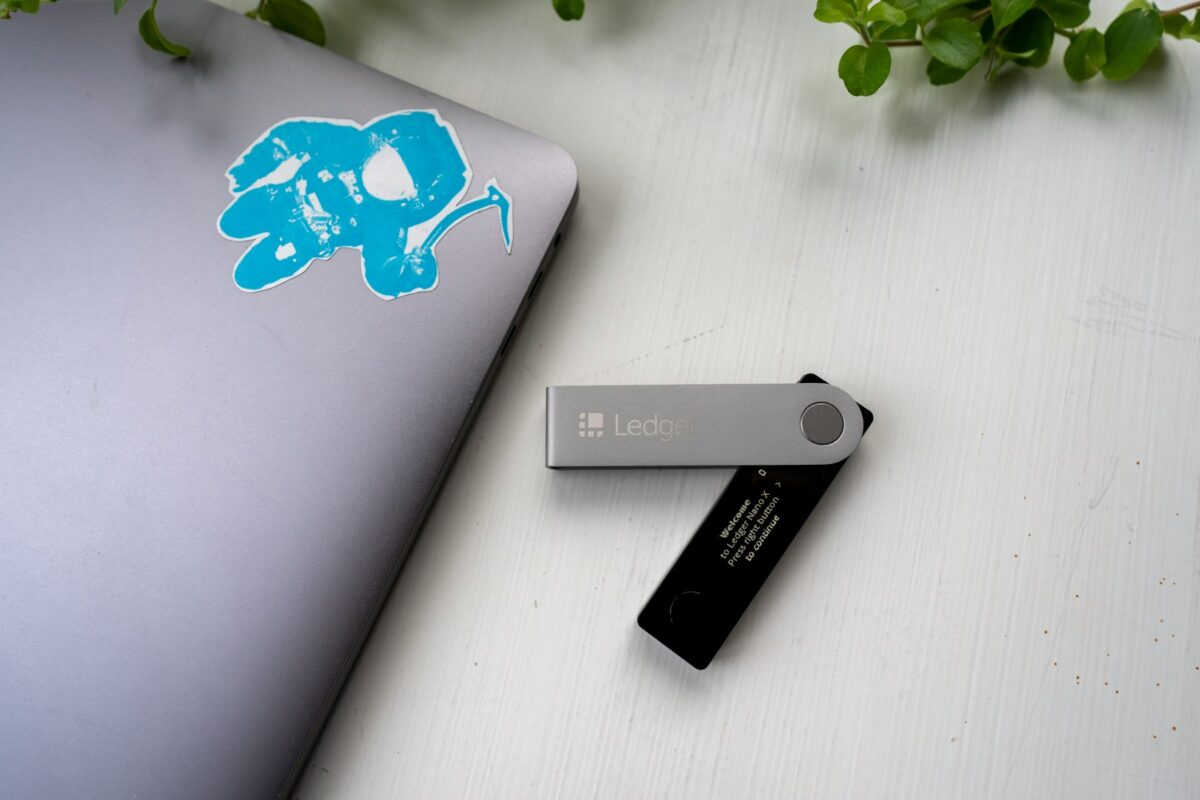
Begin the installation by generating a unique PIN code; this prevents unauthorized access to your device. Immediately after, record the recovery phrase with utmost precision–this set of words is your sole fallback to regain control if the device is lost or damaged. Avoid digital copies for the backup and use durable physical media instead.
Selecting between models like Trezor or Ledger influences configuration nuances, but both emphasize robust security. During initialization, confirm firmware authenticity through manufacturer tools to eliminate tampering risks. Each prompt during the installation sequence protects cryptographic keys that underpin asset ownership.
The backup process is not optional; it ensures resilience against hardware failure or theft. Carefully test your recovery seed before transferring assets by simulating restoration in a secure environment. Adopting these practices transforms the cold storage device into a reliable fortress guarding your digital wealth.
Hardware Wallet Setup Guide
Begin with selecting a trusted device such as Trezor or Ledger, both recognized for their robust cryptographic security and user-friendly interfaces. Installation requires connecting the device to a secure computer, then downloading the official application from the manufacturer’s website to avoid tampered software versions. This step ensures encrypted communication between the hardware and the host system.
Also Read: Emergency fund before crypto
Next, initialize the device by generating a new seed phrase, commonly consisting of 12 or 24 words. This recovery phrase acts as the ultimate key to access funds in case of loss or damage. It is imperative to write down this sequence manually and store it offline, preferably in multiple secure locations, as digital backups can be vulnerable to hacking attempts.
Stepwise Configuration Process
The configuration begins with firmware verification–both Trezor and Ledger prompt users to confirm integrity via cryptographic signatures. This procedure guards against compromised devices at the factory level. Following installation, users create a PIN code that protects against unauthorized physical access; repeated wrong entries typically trigger data wipe mechanisms.
Integration with compatible software wallets allows transaction signing within isolated environments, preventing private keys from exposure online. For example, pairing Ledger Nano X with Ledger Live enables management of multiple cryptocurrencies securely on one platform. Testing small transactions initially verifies correct functioning before committing larger amounts.
Backup strategies extend beyond storing seed phrases; some experts recommend using metal backup plates resistant to fire and corrosion for long-term durability. Additionally, understanding restoration procedures through test recovery on secondary devices builds confidence in disaster scenarios without risking actual assets.
Also Read: Cryptocurrency withdrawal process
Security protocols recommend periodic firmware updates provided by manufacturers to patch vulnerabilities discovered post-release. Users should authenticate update packages via official channels only and avoid third-party sources. Employing multi-factor authentication alongside physical hardware safeguards greatly enhances overall defense against sophisticated cyber threats targeting cryptocurrency holdings.
Unboxing and Device Inspection
Begin by carefully examining the package integrity before opening. For a Trezor device, tamper-evident seals must be intact to guarantee authenticity and uncompromised security. Any broken or altered seals indicate potential interception, which poses significant risks to the cryptographic keys stored within. Confirm that the box includes all components: the main unit, USB cable, recovery seed card, and instruction manual.
Upon removal of the device, conduct a thorough visual inspection. The physical build quality offers early insights into legitimacy; genuine units display precise machining, consistent materials, and clearly printed labels with serial numbers matching those on the packaging. Check for any visible damage such as scratches or loose parts that could impact functionality during initialization or compromise sensitive internal elements.
Detailed Verification Process
The initial step in activating your device involves connecting it to a trusted computer using the supplied USB cable. Observe the screen for expected startup sequences specific to Trezor models–this includes brand logos and prompts for PIN creation. The presence of an authentic interface is critical because counterfeit devices may mimic external appearances but fail at secure authentication steps.
Also Read: Cryptocurrency books recommendations
Set up a personal identification number (PIN) immediately after powering on. This code serves as a primary defense against unauthorized access. During this phase, the device will also guide you through generating a unique recovery phrase–a backup mechanism indispensable for restoring access if hardware failure occurs or loss happens. Meticulously record this sequence offline; digital storage introduces vulnerabilities contrary to best practices.
- Confirm that recovery words are displayed only once on the device screen.
- Verify no external connections capture seed data during this process.
- Store backups securely in multiple physical locations to mitigate risks like fire or theft.
The installation software accompanying your equipment must be sourced directly from verified repositories such as the official Trezor website. Avoid third-party downloads which might contain malware designed to intercept credentials during configuration. Once installed, software interfaces provide comprehensive walkthroughs aligning with device prompts to ensure each security parameter is correctly enforced before activation completes.
This systematic approach underscores experimental rigor essential when integrating cryptographic instruments into secure workflows. By applying meticulous inspection combined with disciplined documentation of recovery parameters, users enhance resilience against both physical tampering and cyber threats targeting cryptographic asset control layers.
Initial Device Configuration
Begin the installation by connecting the ledger device to a trusted computer and following the manufacturer’s instructions to initiate the configuration process. Setting a secure PIN code is fundamental; it serves as the primary barrier against unauthorized access. A PIN typically consists of 4 to 8 digits, and repeated incorrect attempts will trigger a device reset, emphasizing the importance of memorizing this code or securely storing it offline.
During the initial phase, the device generates a recovery phrase – usually 24 words – which represents the cryptographic seed for all stored assets. This backup must be recorded with precision on physical media such as paper or metal plates, avoiding digital copies that could be vulnerable to hacking. The recovery phrase enables wallet restoration if the ledger is lost or damaged, making its protection paramount for maintaining long-term security.
Technical Aspects of Device Initialization and Safety Measures
The installation firmware verifies authenticity through cryptographic checksums ensuring that no tampering occurred during shipment or prior use. Once verified, users proceed with generating private keys within a secured chip environment isolated from external communication channels. This isolation reduces attack vectors compared to software-only solutions.
After entering the PIN and confirming the recovery phrase backup, users should perform an immediate test restoration on a separate device or emulator to validate correctness without risking asset exposure. This experimental step confirms both mnemonic accuracy and user preparedness in handling potential future recovery scenarios. Proper initial configuration thereby transforms abstract cryptographic principles into tangible safeguards reinforcing confidence in asset custody.
Secure Seed Phrase Backup
During the installation of a Ledger or Trezor device, the generation and secure storage of the seed phrase represent a fundamental step in ensuring long-term asset protection. A seed phrase is a mnemonic representation of the private keys that control access to cryptocurrencies, and its confidentiality directly impacts security integrity. Immediately after initialization, users must record this phrase physically–preferably on fireproof and waterproof materials–avoiding any digital copies vulnerable to hacking or malware.
When selecting a location for backup, diversification enhances resilience against localized risks such as theft, natural disasters, or accidental damage. Using multiple geographically separated backups reduces the probability of total loss. For instance, storing one copy in a home safe and another at a trusted relative’s secure location creates redundancy while maintaining controlled access. Hardware devices like Ledger emphasize this approach by integrating PIN protection during setup to prevent unauthorized physical use even if the device falls into wrong hands.
Technical Considerations for Seed Phrase Security
The entropy involved in generating seed phrases follows strict cryptographic standards defined by BIP39, ensuring randomness adequate for resisting brute-force attacks. Despite this, human error during transcription remains a significant vulnerability. Experimental analysis shows that common mistakes include miswriting words or mixing order sequences, which can render recovery impossible. Utilizing metal plates designed for etching seed phrases rather than paper significantly mitigates degradation over time and environmental exposure.
In comparative case studies between Ledger’s security model and Trezor’s approach, both implement PIN codes with different hardware architectures but converge on protecting against side-channel attacks and unauthorized firmware modifications. During initial configuration phases, setting a strong PIN complements the offline seed backup by adding an additional authentication barrier. This layered defense reduces risks from physical compromise scenarios where adversaries might obtain both device and written seed phrase.
- Store seed phrases offline exclusively; avoid photographing or scanning them digitally.
- Use mnemonic passphrase extensions (BIP39 passphrases) where supported to add complexity beyond the base phrase.
- Consider multi-signature arrangements requiring multiple independent seeds for transaction approval.
A practical experiment conducted with various backup methods demonstrated that metal backups retained legibility after simulated fires exceeding 1000°C and floods lasting several days, whereas paper backups deteriorated within hours under similar conditions. These findings suggest prioritizing robust physical media when planning long-term preservation strategies for cryptographic credentials generated during device initialization phases.
Maintaining rigorous operational security around seed phrases includes restricting knowledge dissemination only to trusted individuals and securely managing PIN codes used alongside devices like Ledger or Trezor. Periodic audits of stored backups help verify integrity without exposing sensitive details unnecessarily. By systematically combining these precautions with hardware-backed protections built into cryptocurrency custodial tools, one achieves a high assurance level safeguarding critical access points against both technical failures and targeted attacks.
Installing Wallet Software
The initial phase of using devices like Ledger or Trezor involves the careful installation of their dedicated management applications. These programs serve as secure interfaces for interacting with cryptocurrency assets and must be downloaded exclusively from official sources to prevent exposure to malicious software. During installation, users are prompted to create a PIN code, a critical security measure that restricts unauthorized access and protects private keys stored on the device.
After software installation, a fundamental step is generating and securely storing the backup recovery phrase. This sequence of words enables restoration of asset control if the physical device is lost or damaged. Both Ledger Live and Trezor Suite provide clear instructions for this process, emphasizing offline recording methods rather than digital storage to minimize vulnerability to hacking attempts.
Technical Considerations in Application Deployment
Installation procedures differ slightly between major brands but share core security principles. For instance, Ledger Live requires running an installer compatible with Windows, macOS, or Linux environments while verifying application signatures ensures integrity before execution. Similarly, Trezor Suite supports multiple operating systems and includes firmware upgrade capabilities during the first launch, reinforcing hardware security through updated cryptographic protocols.
Configuring PIN protection involves selecting a numerical code typically between 4 to 8 digits. This feature thwarts brute-force attacks by implementing time delays after successive incorrect entries. Users should avoid predictable sequences such as “1234” or birthdates; instead, opting for random combinations increases resilience against targeted intrusions. The interface guides users through this step with prompts designed to confirm memorization and correct input without exposing sensitive data.
Both Ledger and Trezor platforms encourage users to test recovery phrase backups by simulating restoration in controlled conditions before transferring significant funds. This hands-on verification not only confirms accurate backup capture but also familiarizes users with emergency procedures. Such experimental validation aligns with best practices in securing cryptographic assets and fosters confidence in long-term asset management strategies.
Conclusion on Verifying Transaction Safety
Enforcing a robust pin during the initialization of your cryptographic device establishes the first tangible barrier against unauthorized access. Coupled with meticulous attention to the installation process, these initial steps ensure that the integrity of transaction signing remains uncompromised throughout daily operations.
The integration of secure backup procedures, particularly safeguarding recovery seeds offline, fortifies resilience against data loss or device failure. Devices such as Trezor exemplify how layered security–from physical confirmation to firmware authenticity checks–can drastically reduce risks associated with transaction manipulation.
Technical Insights and Future Directions
- PIN complexity and lockout mechanisms: Implementing adaptive PIN policies that dynamically increase delay intervals after failed attempts can sharply diminish brute-force vulnerabilities without sacrificing usability.
- Firmware verification: Automated cryptographic attestation during power-up ensures device authenticity before any sensitive operation, preventing counterfeit hardware from intercepting transaction data.
- Recovery phrase encryption: Research into partial secret sharing schemes proposes splitting recovery phrases across multiple secure locations, reducing single points of failure while enabling collaborative restoration protocols.
- User interface transparency: Real-time transaction details displayed on isolated screens encourage active user verification prior to final approval, mitigating phishing or malware-induced errors.
The trajectory toward decentralized key management and multi-factor authentication embedded directly within secure elements promises enhanced protection paradigms. As blockchain applications expand beyond currency transfers into complex smart contract interactions, maintaining stringent controls during every phase–from device commissioning to transaction endorsement–will become increasingly paramount.
This investigative approach fosters not only confidence in cryptographic custody but also invites experimentation with emerging techniques like biometric integration and threshold signatures. Encouraging practitioners to systematically test setup variables and backup integrity cultivates a deeper understanding of operational security tailored to diverse threat models.
You might also like